Google Calendar + Google Maps = Perfect Trip Planning App?
See when and where, at a glance.
Every event in your Google Calendar becomes a stop on a Google Map. See the driving route for each day, and exactly how long it takes to get from one place to the next.
A 3-day Scottish Highlands road trip. Calendar, map and day plan side by side, and the 📅 🗺️ 📋 buttons top right show just the ones you want.
When and where.
At a glance.
Google Calendar knows when. Google Maps knows where. Neither shows you both. Calmap puts them on one screen.
It's your Google Calendar
Every stop is a normal Google Calendar event. It's already on your phone, and your family can see it too.
It's Google Maps
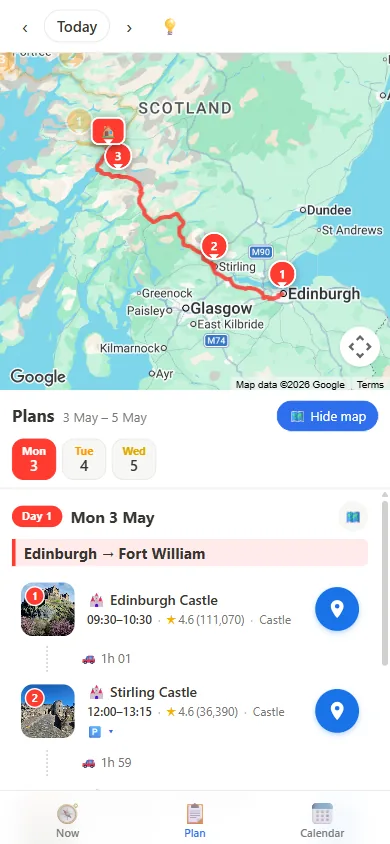
Each event's location becomes a numbered pin on Google Maps, joined up by the real road route.
Travel time between every stop
"1h 52 · 78 mi" — worked out for every gap, so you know how long each drive takes and whether you'll make it in time.
Planning
Everything you need to plan the trip, without leaving the page.
Look before you add.
Tap a stop in your plan or calendar and the map flies there, with its photos and rating. No jumping over to Google Maps.
- Photos for every stop — flick through with the arrows
- Star rating and number of reviews
- Opening hours and reviews one tap away
- Search any place and add it in one click
See every drive.
Click a drive in the calendar or the plan and the map zooms to that exact road route. Click a stop and it flies there.
- Real Google driving routes
- Drive time and miles for every gap
- One day at a time, or the whole trip
- Warns you when it's too tight
Swap it or move it.
Just drag.
Two ways to rearrange a day, both with one drag. The times and drives update by themselves.
- One tap re-orders a day for the least driving
- Changed your mind? Undo
Notes on every stop.
Double-click a stop and type. What to see, what to book, where to park: your notes sit right under each stop, and they're saved in the Google Calendar event too.
- Double-click any stop to write or change its notes
- Shows up in the plan and in Google Calendar
- Anyone you share the calendar with sees them
On the road
On the day you only need two things: when to leave, and how to get there.
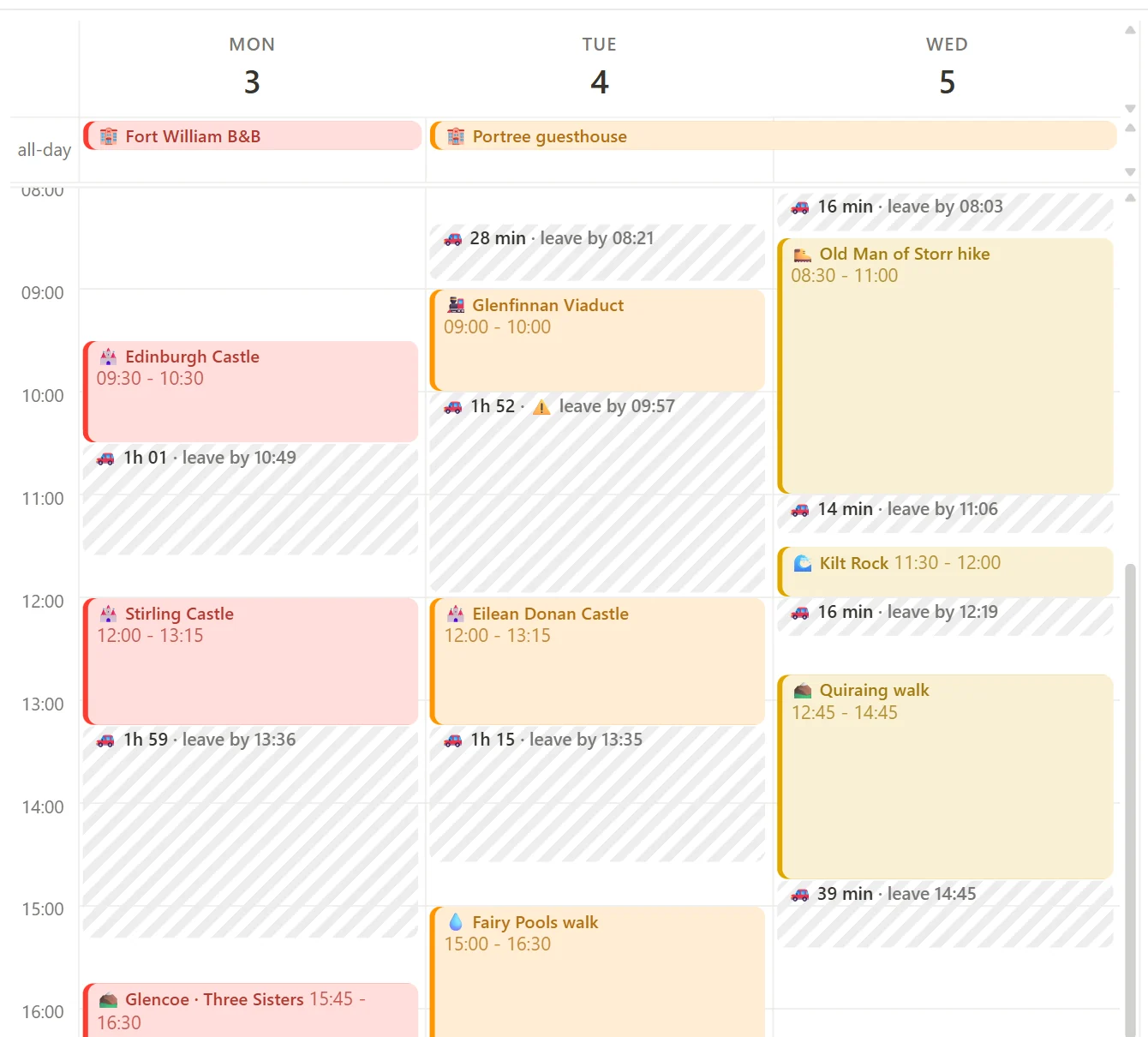
Know when to leave.
After each stop, a striped block shows how long the next drive takes. Next to it: the latest time you can set off and still arrive on time.
- “1h 01 · leave by 10:49” right in your calendar
- Move an event and the leave-by time updates
- Warns you when a drive runs into your next event
- “Time to leave” alerts on your phone, from Google Calendar
Pops up at 10:49, your leave-by time, so you set off on time.
One tap to Google Maps.
Every stop is saved with its exact Google Maps place. Wherever you are, even if you're not coming from the last stop, one tap opens Google Maps with directions.
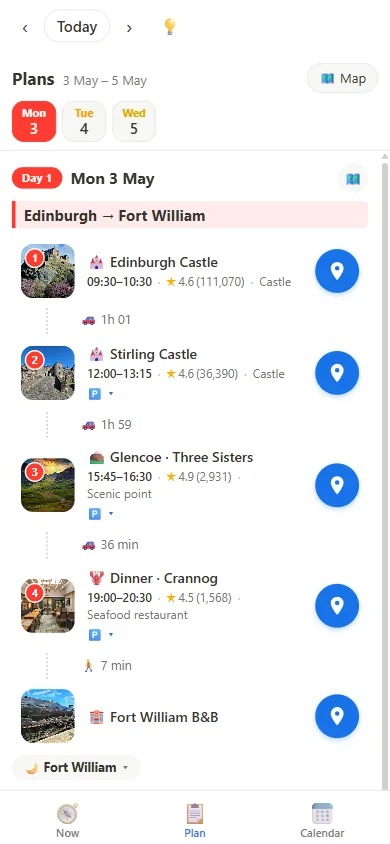
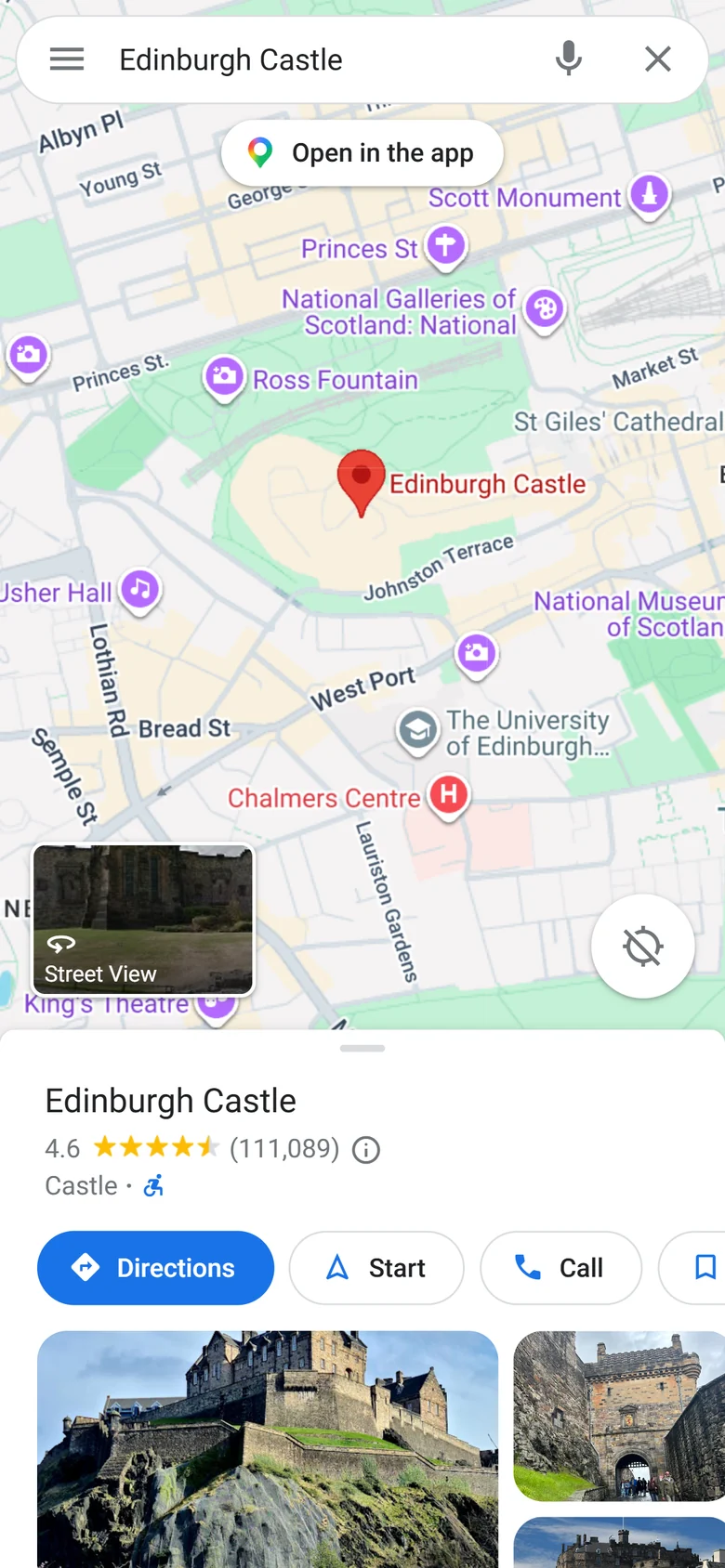
Tap the blue pin next to any stop.
09:30 – 10:30
💥 One O'Clock Gun fires at 13:00
🗺️ maps.google.com/?cid=…
No need to open Calmap. Tap the place in the event.
In your pocket.
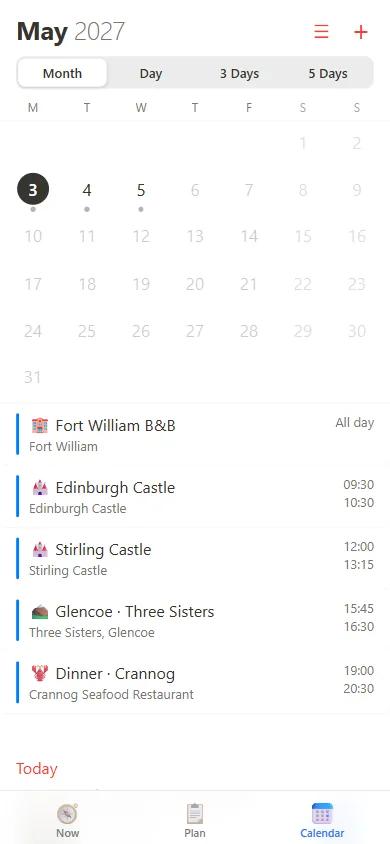
A clean, Apple-style look for the calendar you already trust.
How it compares
You already have the pieces. Calmap puts them on one screen.
| Calmap | Google Calendar | Google Maps | |
|---|---|---|---|
| See when everything happens | ✓ | ✓ | — |
| See where everything is | ✓ | — | ✓ |
| Driving route for each day | ✓ | — | One route at a time |
| Travel time between every event | ✓ | — | — |
| Drive time and “leave by” in your calendar | ✓ | — | — |
| Calendar and map on one screen | ✓ | — | — |
Questions
Is it free?
Yes. The calendar, the map, driving routes and drive times are free. Calmap Plus adds the striped drive blocks with leave-by times, “time to leave” alerts, unlimited trips and sharing. Waitlist members get early pricing.
Where is my trip stored?
In your own Google Calendar, as normal events with a location. If you ever stop using Calmap, your plans are still there.
Do I have to type in addresses?
No. Search a place by name, or use the location you'd normally put in a Google Calendar event.
Can I plan with friends or family?
Yes. Put the trip in a shared Google Calendar, or send a link to just that trip.
iPhone, Android, laptop?
All of them. It runs in the browser and can be added to your home screen like an app.
When can I use it?
We're letting people in from the waitlist in small groups. Join and you'll get one email when your spot is ready.
Plan your next road trip on a calendar that shows the way.
Join the waitlist for early access.